Unlocking the Beauty of Lineart Mandala Design Vector Free for Print and Digital Use
Mandala designs have long been admired for their intricate patterns, symmetry, and spiritual significance. Today, they are also a popular choice in modern design projects—ranging from branding to print materials and digital art. With the rise of vector graphics, accessing high-quality mandalas has become easier than ever. One such resource is the Lineart Mandala Design Vector Free, which offers designers and creatives a versatile tool for their artistic endeavors.
What Are Lineart Mandala Designs?
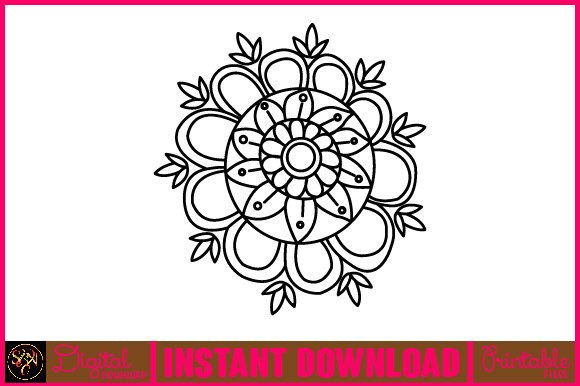
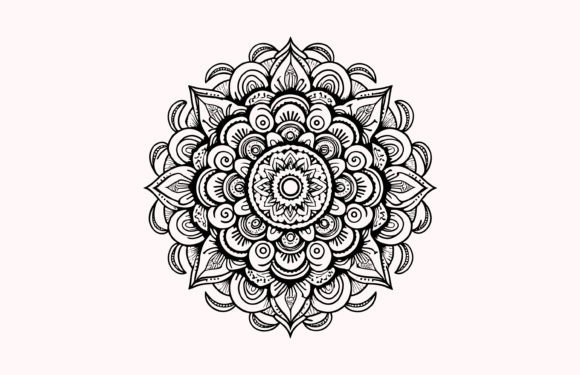
A lineart mandala is essentially a simplified version of traditional mandalas, focusing on clean lines and geometric shapes without the use of color or shading. This makes them ideal for those who want to customize the visual elements later. These designs are often created using vector-based software like Adobe Illustrator, ensuring scalability and precision in every detail.
The Lineart Mandala Design Vector Free provides an editable file that maintains the elegance and complexity of mandalas while allowing full creative control. Whether you're working on a logo, poster, or packaging design, these vectors can be easily adapted to fit your project's needs.
Why Choose Vector-Based Mandalas?
- Scalability: Vector files maintain clarity at any size, making them perfect for both small and large print jobs.
- Customizability: Unlike raster images, vector graphics allow you to edit individual elements, change colors, or adjust shapes with ease.
- Print Quality: High-resolution output ensures sharp and professional results when printed on merchandise, stationery, or other products.
- Cross-Platform Compatibility: Vectors work seamlessly across different design tools and platforms, giving you flexibility in your workflow.
Exploring the File Package: EPS and JPEG Formats
When you download the Lineart Mandala Design Vector Free, you receive a ZIP file containing two essential formats: one EPS (Encapsulated PostScript) file and one JPEG (Joint Photographic Experts Group) file. Each format serves a unique purpose depending on how you plan to use the design.
Understanding the EPS File
The EPS file is fully editable and made up of 100 vector shapes. This means that every element in the mandala can be adjusted independently. You can scale it infinitely without losing quality, making it suitable for detailed print design tasks like t-shirt printing, book covers, or wall art. The file is compatible with most vector editing software, including Adobe Illustrator, CorelDRAW, and Inkscape.
With this editable format, you can:
- Change the color palette to match your brand or event theme.
- Adjust stroke widths for a more minimalist or bold look.
- Rearrange layers or components for personalized compositions.
Using the JPEG File
The included JPEG file is a high-quality raster image with a resolution of 300 dpi, making it ideal for direct printing or digital use where vector editing isn't necessary. It's ready to go straight into your design software or content management system for quick integration into websites, social media posts, or promotional materials.
This JPG file is especially useful for:
- Creating mockups for clients or presentations.
- Printing on items like mugs, calendars, or posters.
- Adding decorative elements to greeting cards, invitations, or packaging.
How to Extract the Files
Once you've downloaded the ZIP package, you'll need to extract the contents before using them. To do this, follow these simple steps:
- Right-click on the ZIP file.
- Select “Extract All” or open it directly by double-clicking.
- Choose a destination folder and click “Extract.”
You can use extraction tools like WinZIP, WinRAR, or even built-in Windows or macOS utilities. If you're unsure which tool to use, simply double-click the ZIP file—it should open automatically on most systems.
Applications of Lineart Mandala Design Vector Free in Modern Projects
These types of mandala designs are incredibly flexible and can be used in various industries and creative fields. Here’s a closer look at some common applications:
1. Branding and Logo Design
The clean lines and symbolic nature of mandalas make them a powerful addition to logos and branding assets. A line art mandala vector can serve as a background element or the central motif of a logo. Because it’s fully editable, you can tailor it to reflect your brand identity precisely.
2. Print Design and Merchandise
From T-shirts to tote bags, mandala patterns are a staple in fashion and lifestyle products. The Lineart Mandala Design Vector Free ensures that your prints remain crisp and clear regardless of the item’s size or texture. Its compatibility with CMYK color modes is another plus for print professionals.
3. Web and UI/UX Design
Incorporating mandalas into website headers, app interfaces, or mobile backgrounds adds a touch of sophistication and creativity. The JPEG version is particularly handy here, as it can be embedded directly into HTML or CSS without needing conversion.
4. Educational and Cultural Materials
Teachers, educators, and cultural organizations often use mandala art in classroom decorations, educational posters, or mindfulness activities. The simplicity of lineart makes it easy for students to trace, color, or modify, turning it into an interactive learning experience.
Practical Tips for Using Mandala Design Vectors
To get the most out of your Lineart Mandala Design Vector Free, consider the following best practices:
- Always start with the EPS file if you plan to make changes or use the design in multiple sizes.
- Optimize colors before exporting to ensure consistency across different media platforms.
- Use layer organization when editing to maintain clarity and ease of modification.
- Test print samples using the JPEG file before mass production to check for alignment and color accuracy.
Design Scenarios and Examples
Here are a few real-world examples of how you can apply these mandala designs:
- Wedding Invitations: Add a mandala border or background to give your wedding suite a unique and elegant feel.
- Yoga and Wellness Products: Use the lineart mandala as a visual anchor on water bottles, mats, or meditation guides.
- Wall Art Prints: Customize the colors to match your home decor and print it on canvas or poster paper.
- Mobile App Icons: Incorporate mandala motifs into app splash screens or loading animations for a calming aesthetic.
Considerations Before Choosing Your Mandala Design
Before downloading or using any mandala design, there are several factors to keep in mind:
License and Usage Rights
Ensure that the Lineart Mandala Design Vector Free is available under a license that suits your intended use. Some free resources may only be suitable for personal projects, while others allow commercial use. Always read the terms carefully.
Software Requirements
Although the EPS file is widely supported, you’ll need vector editing software to modify it effectively. If you don’t already have access to programs like Adobe Illustrator, consider using free alternatives like Inkscape or online editors such as Vectr or Figma for basic edits.
Color Scheme Planning
Since the design is in black and white, you’ll need to decide on a color scheme that complements your project. Consider using gradients, pastel tones, or metallic shades for a modern twist. The ability to change colors is one of the biggest advantages of using vector-based mandalas.
Resolution and Format Matching
For print projects, always confirm that the JPEG file is set to 300 dpi and in the correct dimensions. For digital use, compressing the JPEG appropriately will help reduce load times without sacrificing visual appeal.
Integrating Into Your Workflow
Adding a decorative ornament mandala design to your workflow is straightforward. Start by importing the EPS file into your preferred design software. Once inside, you can isolate specific parts of the mandala to integrate with other graphic elements or combine multiple mandalas to create complex layouts.
If you're working in a team, sharing the editable EPS file allows for collaborative adjustments and feedback. Meanwhile, the JPEG version is perfect for sending final visuals to clients or printers quickly.
Time-Saving Benefits
One major benefit of using pre-made mandala vectors is the time saved compared to designing from scratch. Instead of spending hours drawing curves and aligning elements, you can focus on refining the concept and integrating it into your overall design strategy.
Common Mistakes to Avoid
While using mandala vectors is generally straightforward, here are a few pitfalls to watch out for:
- Not checking the license agreement before commercial use.
- Using the JPEG file for scalable projects, leading to pixelation issues.
- Overcomplicating the design with too many color layers or effects.
- Ignoring the aspect ratio when resizing, which can distort the pattern.
By staying mindful of these points, you can ensure your mandala design remains visually appealing and functionally sound across all platforms.
Where to Find More Mandala Resources
If you’re looking to expand your collection, explore reputable vector marketplaces like Freepik, VectorStock, or Etsy. Many artists offer mandala sets in similar formats, so you can build a library of patterns for future projects.
However, always verify the file type and licensing details before downloading. Not all free mandala vectors come with the same level of customization or quality as the Lineart Mandala Design Vector Free.
Final Thoughts on Lineart Mandala Design Vector Free
The Lineart Mandala Design Vector Free is more than just an attractive pattern—it's a functional asset for a wide range of creative projects. From its fully editable EPS format to the high-resolution JPEG, it caters to both beginners and seasoned designers alike.
Whether you're creating a printable product, enhancing your digital artwork, or exploring new ways to incorporate symbolism into your designs, this mandala resource gives you the freedom to innovate. So, take advantage of its versatility and let your imagination run wild.